
Documentation
How to use PM on Rails
Read whose loss this stops first, then move to the steps. Start with Quickstart if you are new, Members and permissions if you were invited, or Progress you can see for day-to-day status.
Start from your role
Confirm your problem and the before / after before the click-by-click steps. The longer explanation is in the role guides; the screens are in the pages below.
Clients & in-house
After you delegate, what you asked for and how far it has gone disappear.
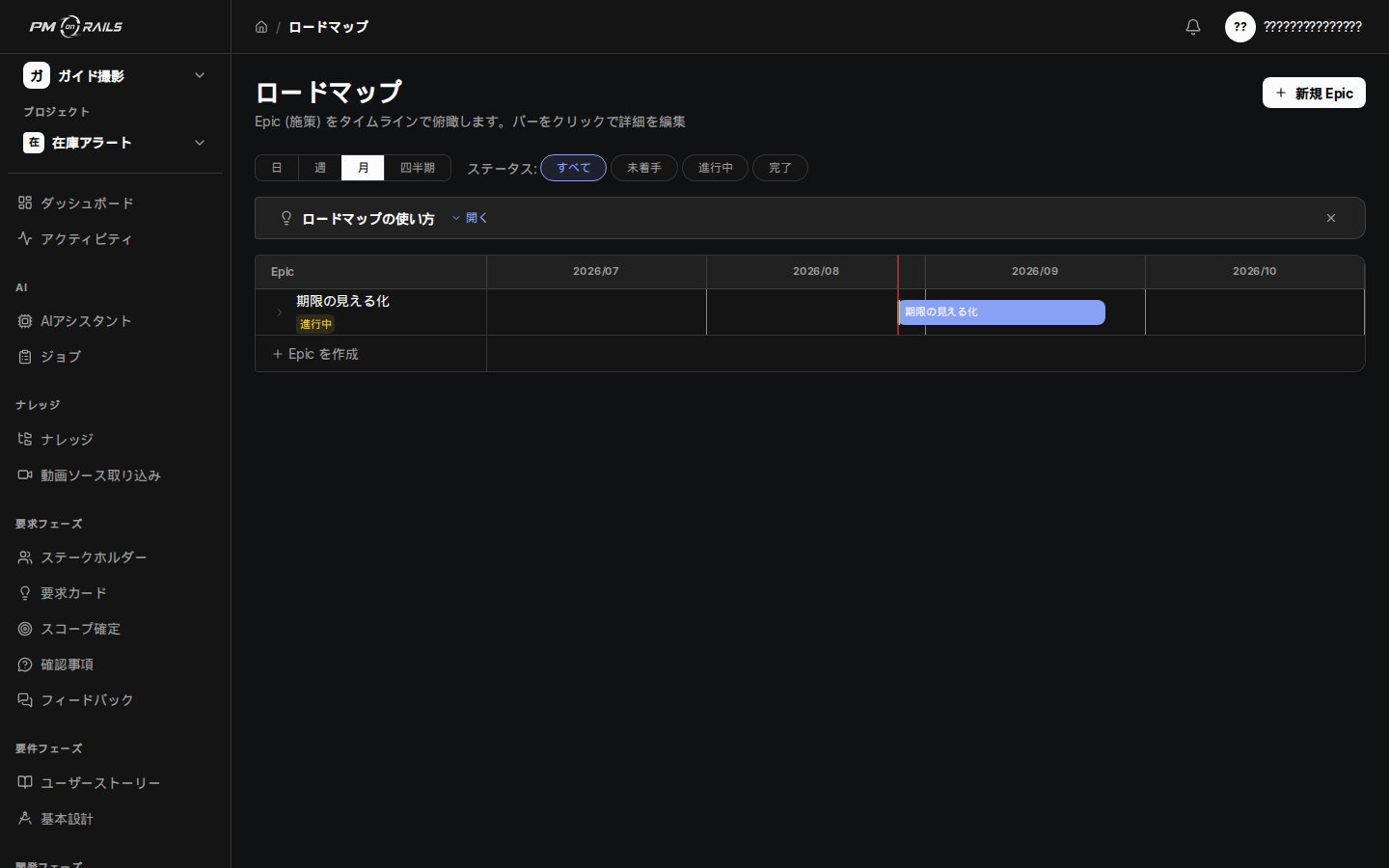
See when it will land yourself
Roadmap of the large plan and the chunk being built now. Before: you waited for a report. After: you can follow the current place without a technical background.
For clients & in-house teams
PM
What to ask and how to track it changes every week.
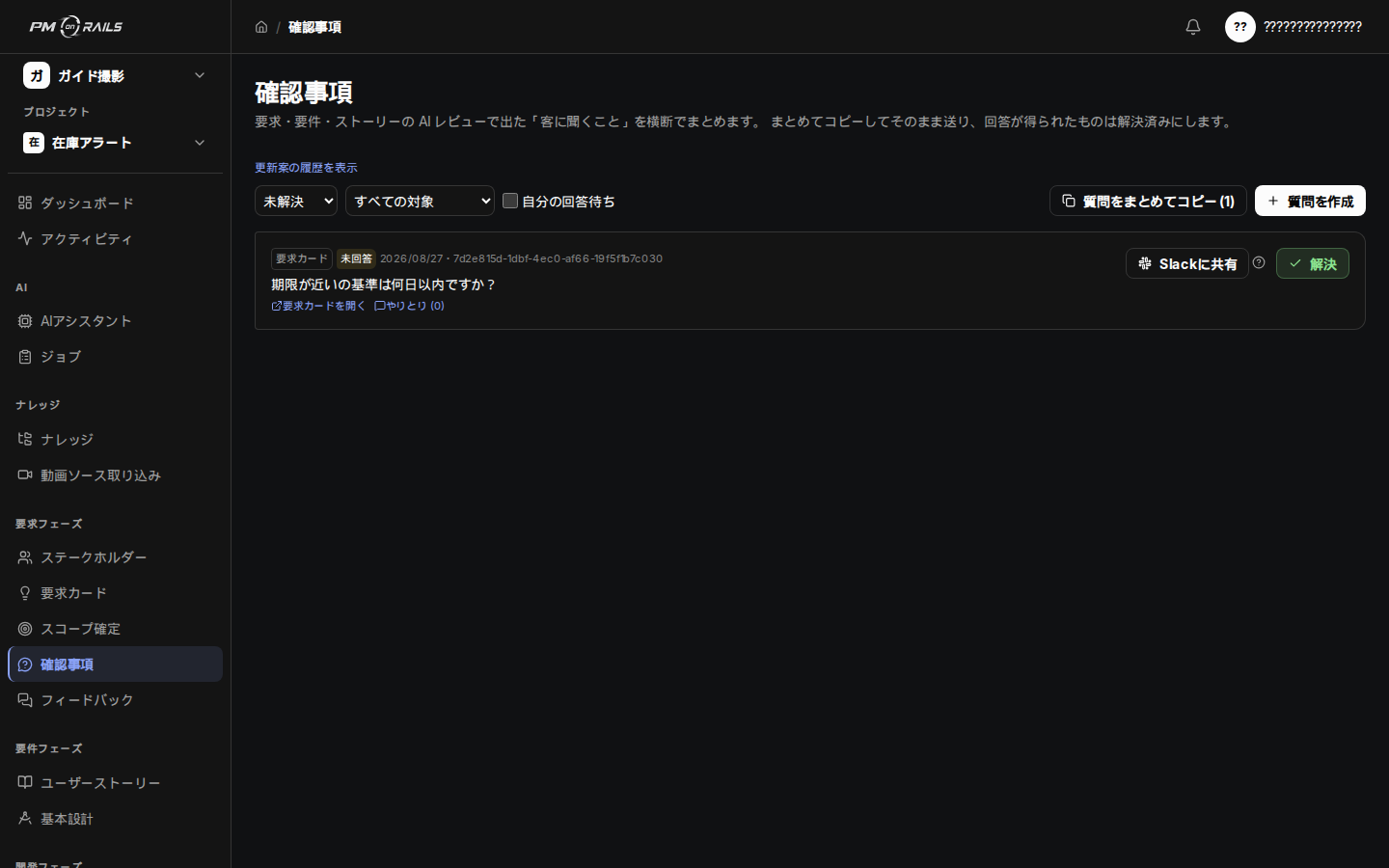
What to ask stays written
Open questions: the ask, the owner, waiting on an answer. Before: each project invented its own way of asking. After: you return to review and decide.
For PMs
Engineer
Spec hunting and board updates eat the time meant for implementation.
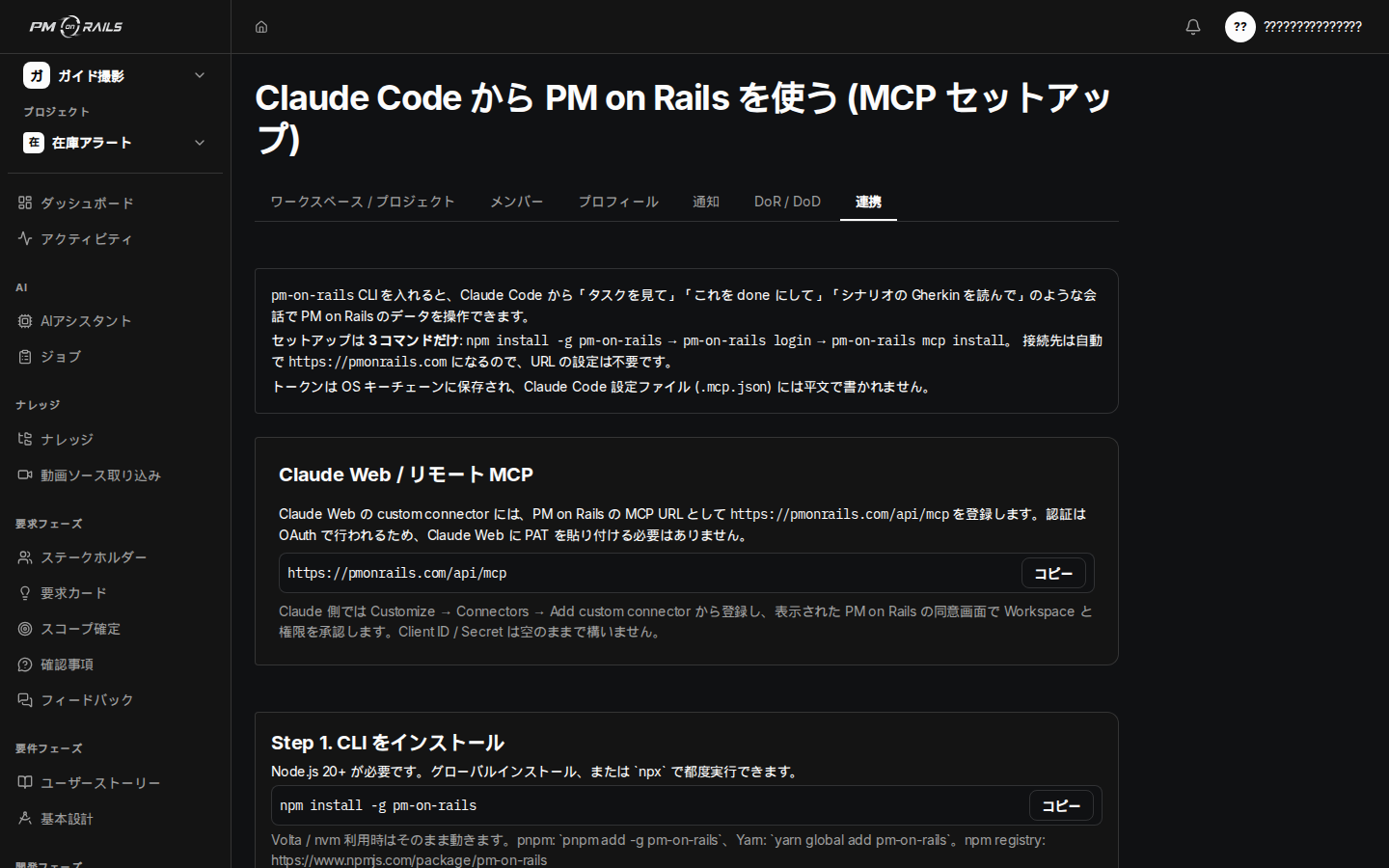
Read acceptance criteria, then implement
Claude Code integration. The coding agent reads requirements, acceptance criteria and tasks. Before: spec hunting and board updates remained. After: you implement without returning to the screen.
For engineers
Reviewer
You cannot see how a request was reflected, or when it will land.
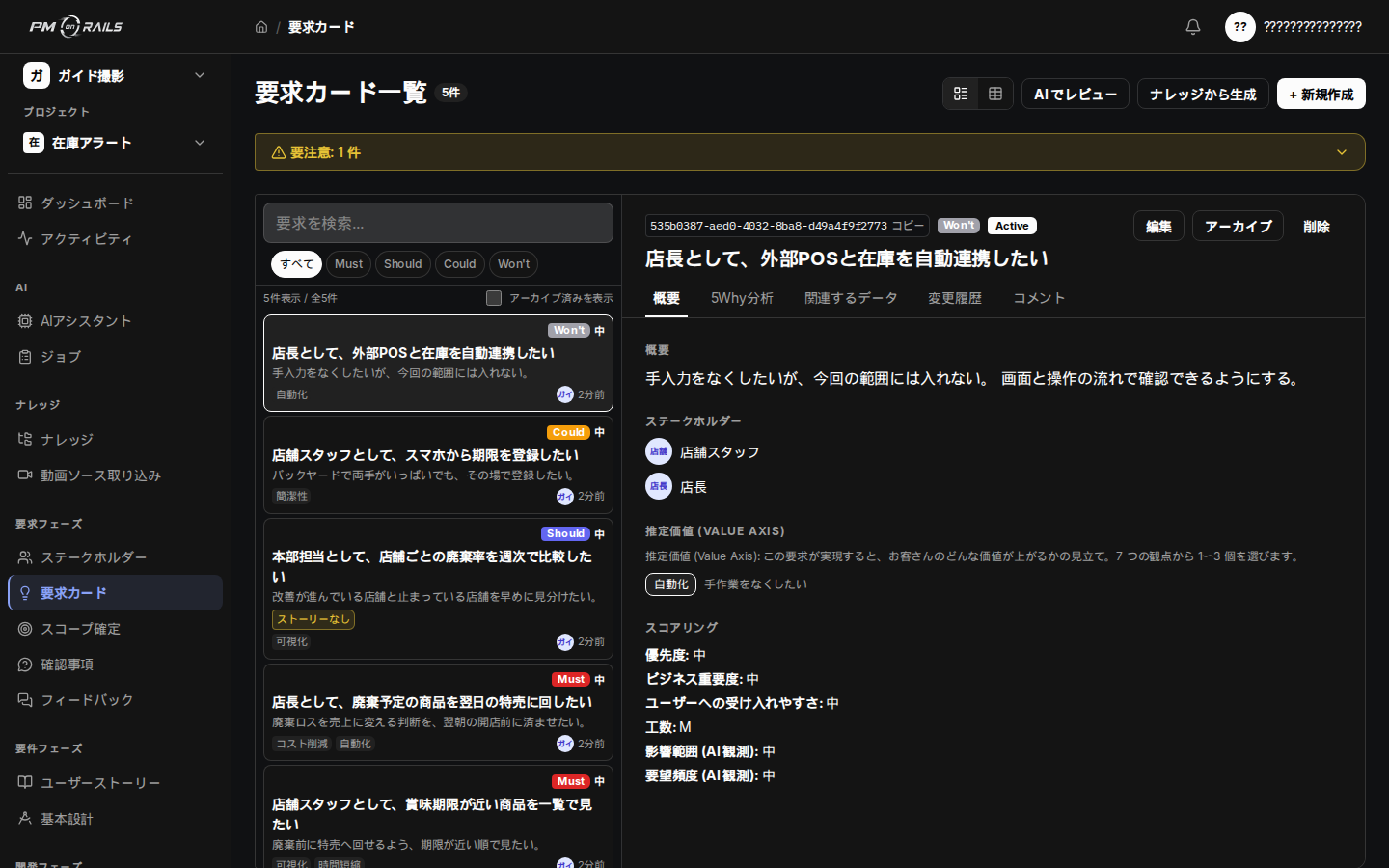
What you asked becomes a request
Requirement cards with the request, background and acceptance conditions. Before: 'done / not what I meant' arrived just before delivery. After: you know which screens to look at.
Guide by audience
Getting started
What is PM on Rails?
Whose problem it stops, the before and after, why now, and why this product.
Quickstart
From signing up or accepting an invitation to adding documents, confirming scope and starting work.
Guide by audience
Whose problem changes, how, the before and after, and which screen to open next.
The basic vocabulary (terms and relationships)
Projects, requests, requirements, stories, scenarios, tasks and the other core concepts, for non-engineers.
Recommended ways of working (by phase)
The rhythm shared by every phase (AI drafts, people decide), plus how to use it phase by phase, from requirements definition through implementation, testing and the spec-change loop.
Pulling requests together (the PM flow)
Collect into knowledge
Bring meeting notes, documents, audio and Word/Excel files together, with version history and review.
Create requirement cards
Automatic generation, scoring, the 5 Whys, FM priority, duplicate detection and adoption decisions for requirement cards.
Decide the scope (MoSCoW)
Agree what you build and what you don't with MoSCoW, and get priorities in order.
Design and break down work
User stories and scenarios
Raise stories from requirements and define what counts as done with Gherkin scenarios.
Design documents (API design and database design)
Build API and database design documents from your requirements. Supports AI drafts and mermaid diagrams (ER diagrams and sequence diagrams).
Task management
Task kinds, assignees, priority, due dates, estimates, AI estimates, labels, the four board states, subtask hierarchy and pull request links.
Bugs and change management
Raising bugs, impact scope, resolution records, turning prevention into requirements, change requests and version history.
Build and ship
Manage and build with Claude Web, Claude Code, and Codex
Manage and implement the requirements you shaped in the UI from Claude Web, Claude Code, and Codex over MCP.
Claude Web, Claude Code, and MCP integration
Work on the graph over MCP from Claude Web, Claude Code, Codex, and more. When to use which, plus examples.
MCP feature reference
A complete guide to what the PM on Rails MCP can do, in plain language, with tool names for those who need them.
GitHub integration
The outbound integration for the MCP development flow: issue sync, pull request linking, auto-done on merge.
Change tracking and diff checks
Automatic updates from re-ingesting meeting notes, diff checks, impact analysis, change notifications, and update markers.
Track progress
Progress you can see
Choosing between preparation, your own work and project progress, with pull request links, the roadmap and sprints.
Testing
Collects pass/fail results for scenarios and the check results for tasks that belong to no story. See how complete things are, from requirement to implementation.
Processing status and history (background processing)
Run time-consuming work without blocking the screen. Check progress, completion and failure.
AI features
Admin and settings
Members and permissions
Workspace invitations, joining projects, roles and how visibility works.
Managing stakeholders
Managing stakeholder contacts, sorting them with tags, and inviting them as viewer.
Open questions
Collect the things to ask the stakeholder, raised by AI reviews and elsewhere, and manage them through to an answer and a resolution.
Feedback
Receive comments from stakeholders and users, with the screen involved, the ideal, the current behaviour and steps to reproduce.
Notifications and Slack
Assignments, mentions, due dates, delays, accepted invitations, sprint completion, Slack (the morning delivery summary), digests, unread and snooze.
Settings
Members, integrations, choosing AI models, capacity and issuing tokens, all in one place.
Mac desktop app (beta)
Getting the Mac app (beta), handoff from the browser, menu bar, notifications, shared links, and offline behaviour.
Reference
Reverse engineering (analysing an existing system)
On modernisation work, analyse the existing system to make its current state and constraints visible, and carry that into requirement cards for the change.
Recording decisions (requirement calls and ADRs)
Keep the history of hold and out-of-scope calls, and the decisions made about the design (ADRs).
Frequently asked questions
The points people trip over, and what to do about them.