
For PMs and development agencies
No more writing requirements after the meeting.
Drop in the meeting notes and AI drafts the requirement cards, user stories and acceptance scenarios in plain language. The only job left for you is deciding what is still undecided.
Free to start. One set of meeting notes is enough.
The problem
Does this happen after your meetings?
The questions only come to you afterwards
You notice what you forgot to ask once the meeting is over, and chase it on Slack.
Answers from Slack never make it into the requirements
Things that were decided scroll away, and the mismatch shows up during development.
Every spec change means hunting for affected tasks
How far the change reaches is decided from memory, every time.
How it works
Leave everything but the decisions to AI.
Asking, organizing, following up. AI takes over the work that used to fill a PM's time, and only the decisions stay with you.
- 01
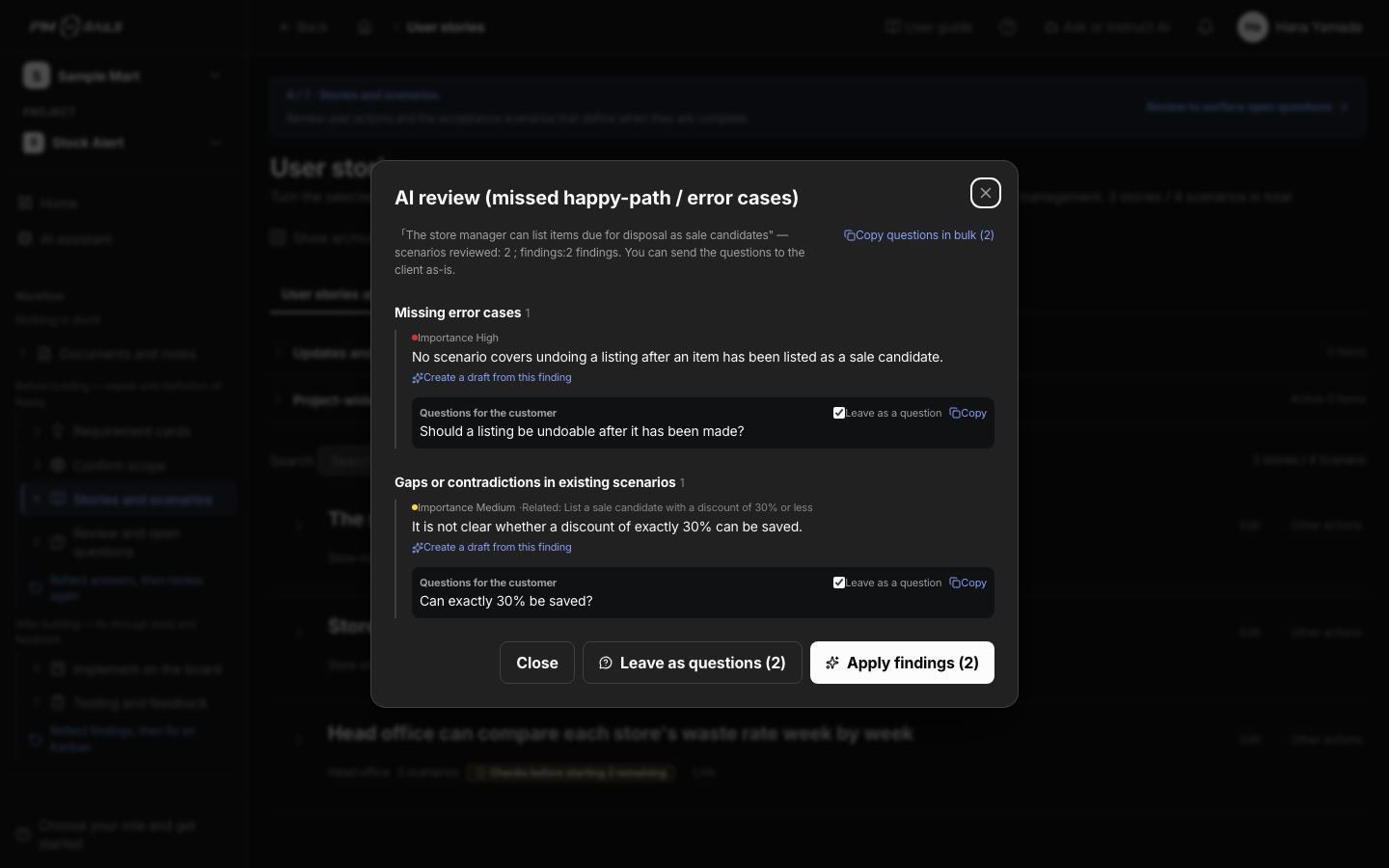
Find what is still undecided
AI reviews the stories and scenarios and lists contradictions, gaps and open points. Questions for the customer can be sent to Slack as they are.
You: Send the questions
About open questions - 02
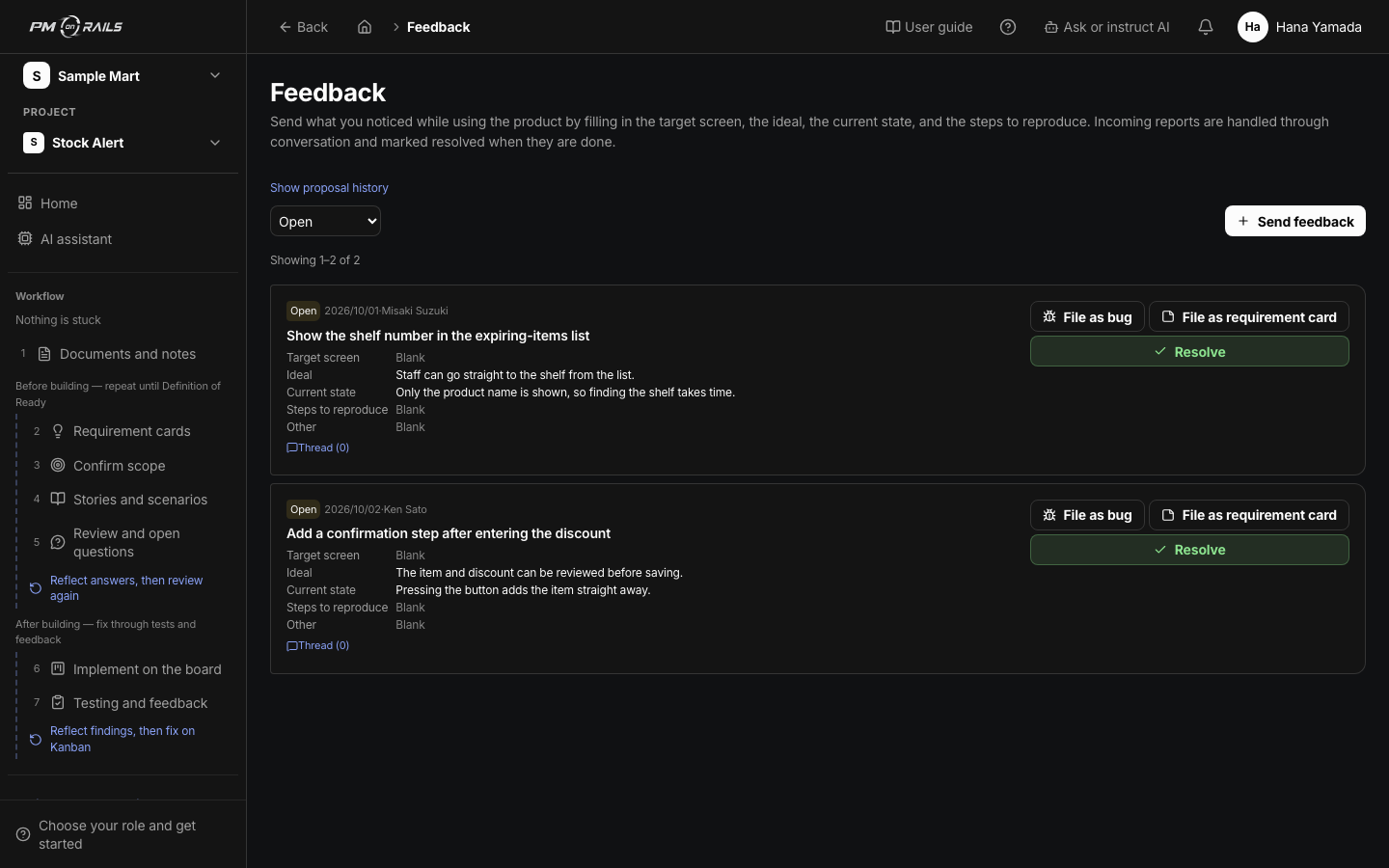
Every pending decision comes with a proposal
Answers and feedback come back as proposed changes to the spec. You pick approve, adjust or reject.
You: Approve or adjust
About feedback - 03
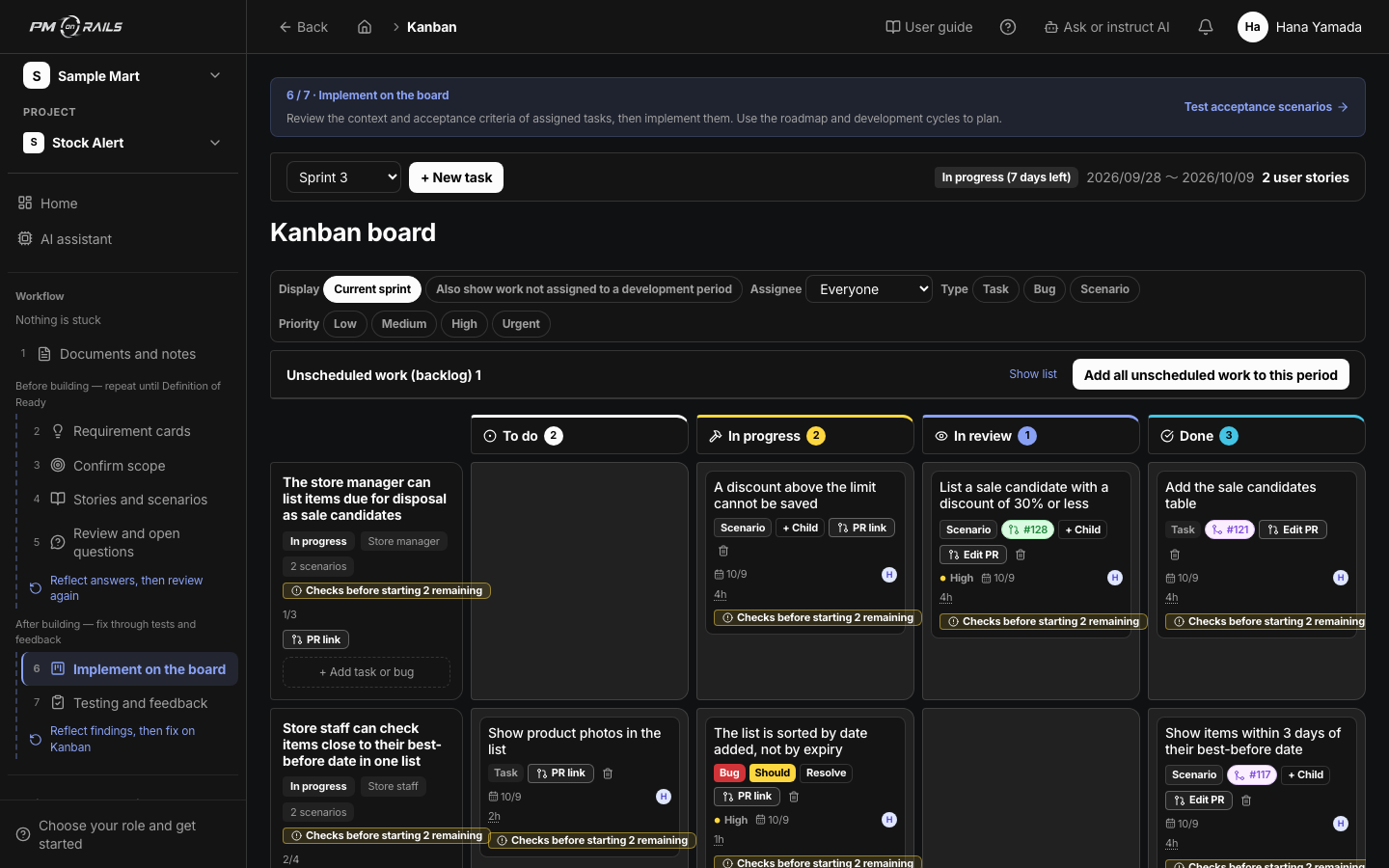
Progress updates itself from pull requests
Tasks are linked to pull requests and complete when they merge. You see where work has stalled without collecting status reports.
You: Just look
About progress tracking
The loop
From request to passing test, the same loop every time.
You are involved in the two highlighted steps. AI and the tool handle the rest.
- 01RequestNotes and asks
- 02ScenarioAcceptance criteria
- 03BuildClaude Code / Codex
- 04TestCI results recorded
- 05FeedbackQuestions and decisions
- Where you are involved
- Where AI and the tool take over
From early users
What surprised the people who tried it.
Things I used to leave entirely to the engineers, I can now do myself.
Scenarios are written in plain language, so I can hand them straight to the customer to check.
Summarized from interviews with early users.
Takes over the PM's workload
Anyone can be the hero PM.
Your first project is free. Drop in one set of meeting notes and watch the requirement cards appear.
Pages for other roles