
For engineers
Everything you used to ask the PM is already here.
The request, why it was decided, the acceptance criteria and what is still open. Claude Code and Codex read the same information. You never need to open the board.
Issue a token and register the MCP connection. Start with today's task.
npm install -g pm-on-rails
pm-on-rails login
pm-on-rails mcp install
Connect Claude Code
login opens your browser for approval and stores the token in your local keychain. You need a workspace account to sign in. Restart Claude Code and tools like these are available.
Tools you will use most
- start_task
- Start a task. Returns the branch name and the line to paste into the pull request
- read_scenario
- Read an acceptance scenario (Given / When / Then)
- get_traceability
- Trace a task back to its request, and forward to what a change would affect
The problem
Stuck before you write a line of code?
Finding the spec takes longer than writing the code
You cross-check meeting notes, Slack and issues before you can finally start.
The PM is busy, so you wait for an answer
You sent the question, and now you do not know what to do next.
The board still needs updating after the pull request
The code is done, but closing the task is still on your list.
How it works
Development that does not stop.
Leave what you do not know as a question and move on with what is decided. When the answer arrives, that part becomes a task you can pick up again.
- 01
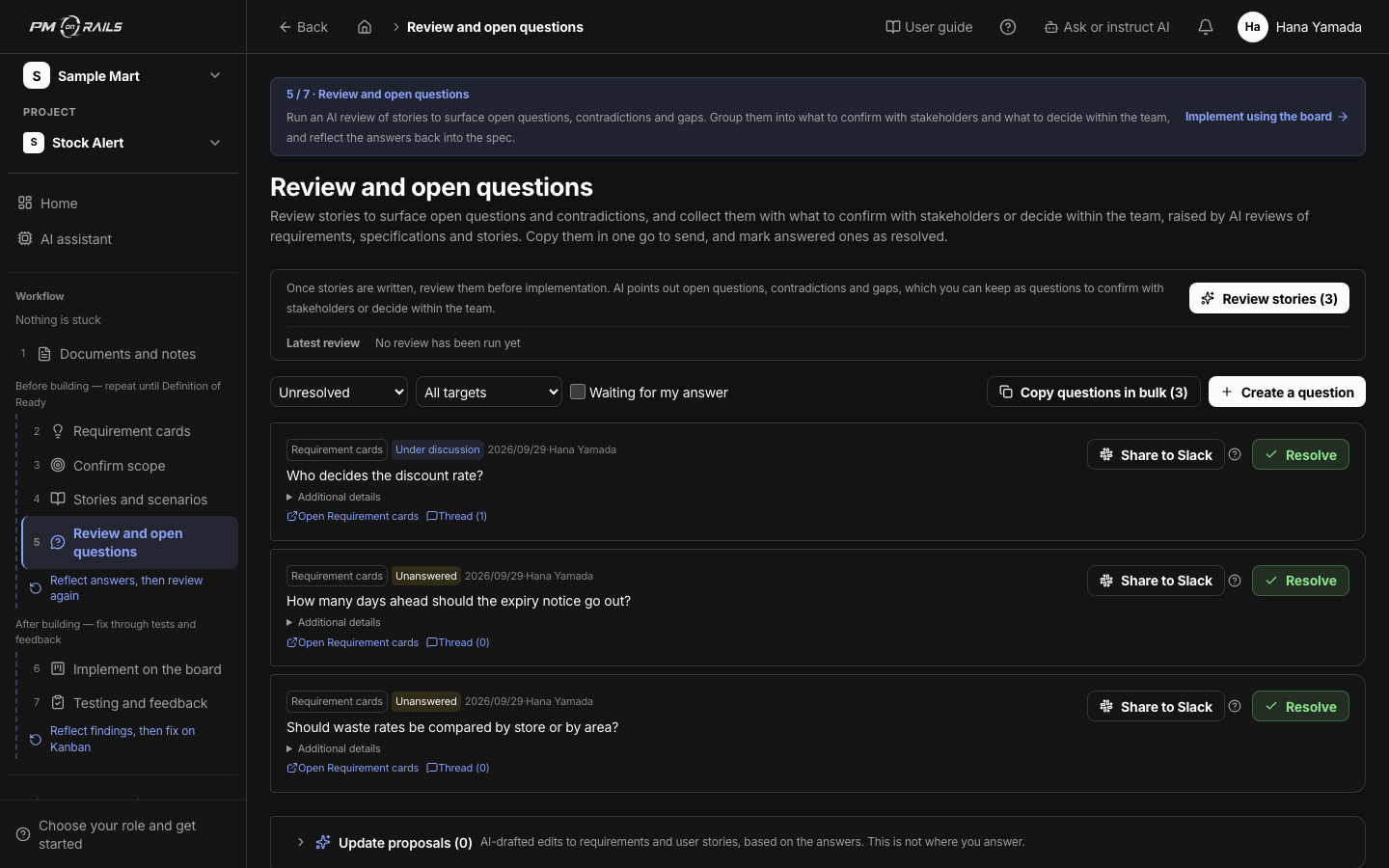
Leave unknowns as questions
Register a question the moment it comes up. You do not wait for the answer; you continue with the tasks that are already decided.
You: Register the question
About open questions - 02
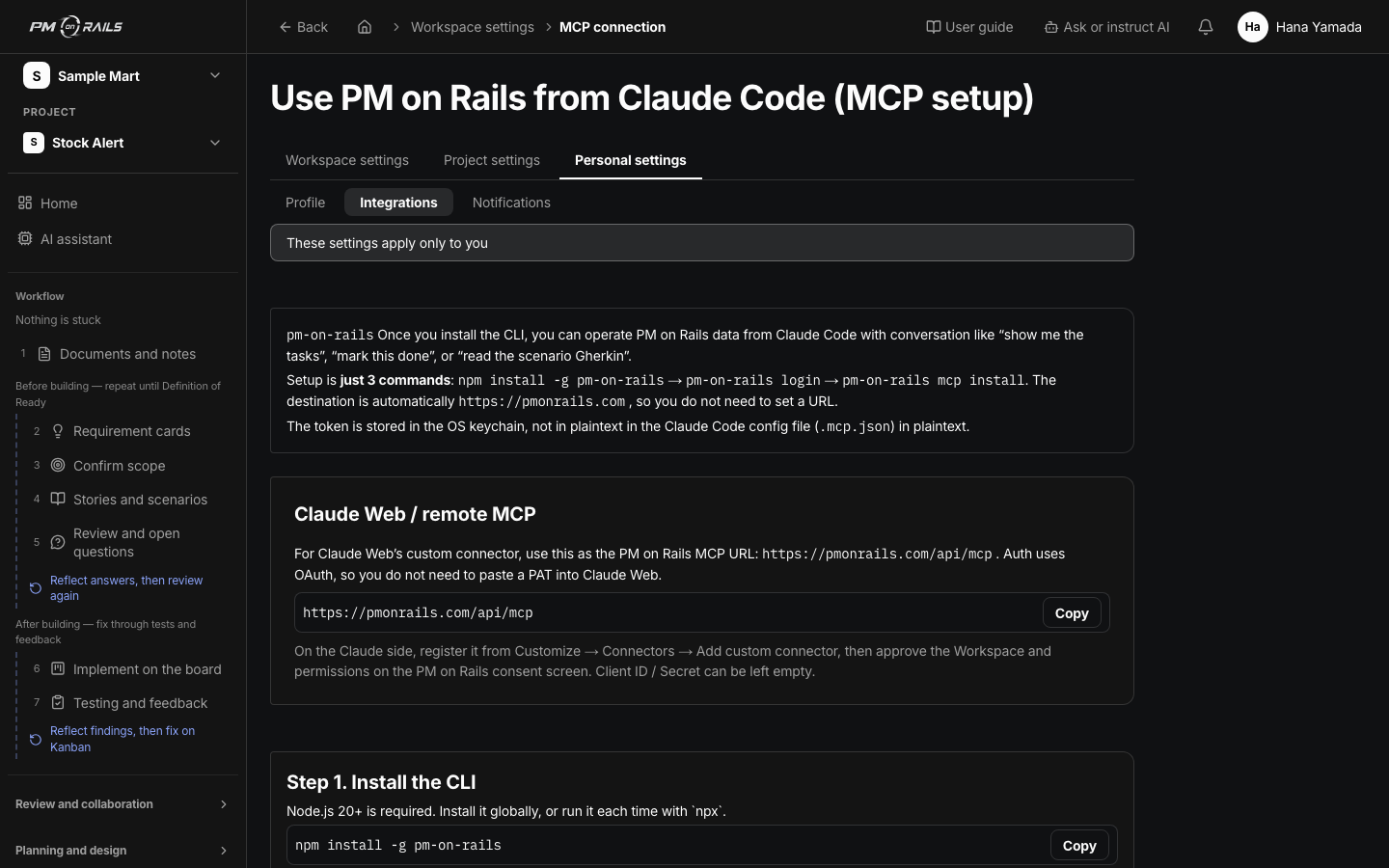
AI reads the same information
Connected over MCP, Claude Code and Codex read the scenario and acceptance criteria before they implement. They do not mistake where to write or what done means.
You: Implement
About the MCP integration - 03
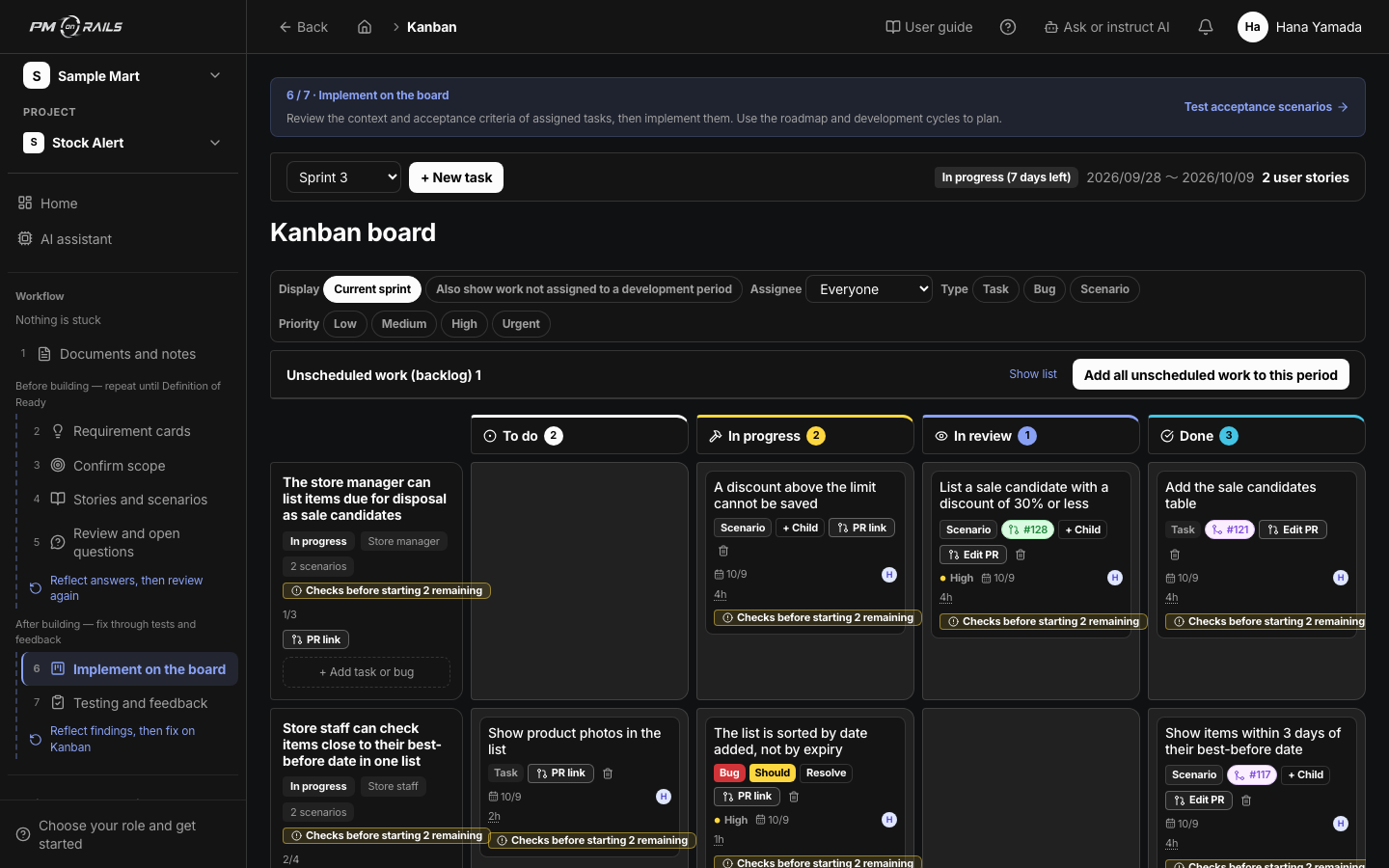
Open a pull request and the task completes
Link the branch and pull request, and passing CI is recorded as the scenario result. Merging completes the task. You stop opening the board.
You: Open the pull request
About the GitHub integration
The loop
From request to passing test, the same loop every time.
You are involved in the two highlighted steps. Requests and feedback are handled by the PM and the customer.
- 01RequestNotes and asks
- 02ScenarioAcceptance criteria
- 03BuildClaude Code / Codex
- 04TestCI results recorded
- 05FeedbackQuestions and decisions
- Where you are involved
- Where AI and the tool take over
From early users
What surprised the people who tried it.
It connects to CI and records the pass automatically. Because scenarios are in plain language, it is clear what counts as done.
I did not expect it to double as a direct line to the customer.
Summarized from interviews with early users.
Focus on the code
You get to focus on writing code.
The tool handles the PM work and you implement. Try it on your own project first.
Pages for other roles