
For clients and owners building an in-house team
See what is happening while it is being built.
What you said is kept as a request, and what needs deciding surfaces before development starts. You check the result against scenarios written in plain language, and you can ask AI how things stand at any time.
Your data can be exported at any time. Moving to another tool is up to you.
The problem
The worry with outsourcing comes from not seeing inside
The meeting ends before you know what you will be asked
Questions arrive one after another, and every answer moves the deadline.
Once you hand it over, you cannot see inside
You get progress reports, but you cannot tell whether it is really progressing.
What comes back is not what you said
Nobody can explain where it went wrong.
How it works
Development without the black box.
No expertise needed to state what you want, decide what needs deciding and check the result. The tool guides you through how to check.
- 01
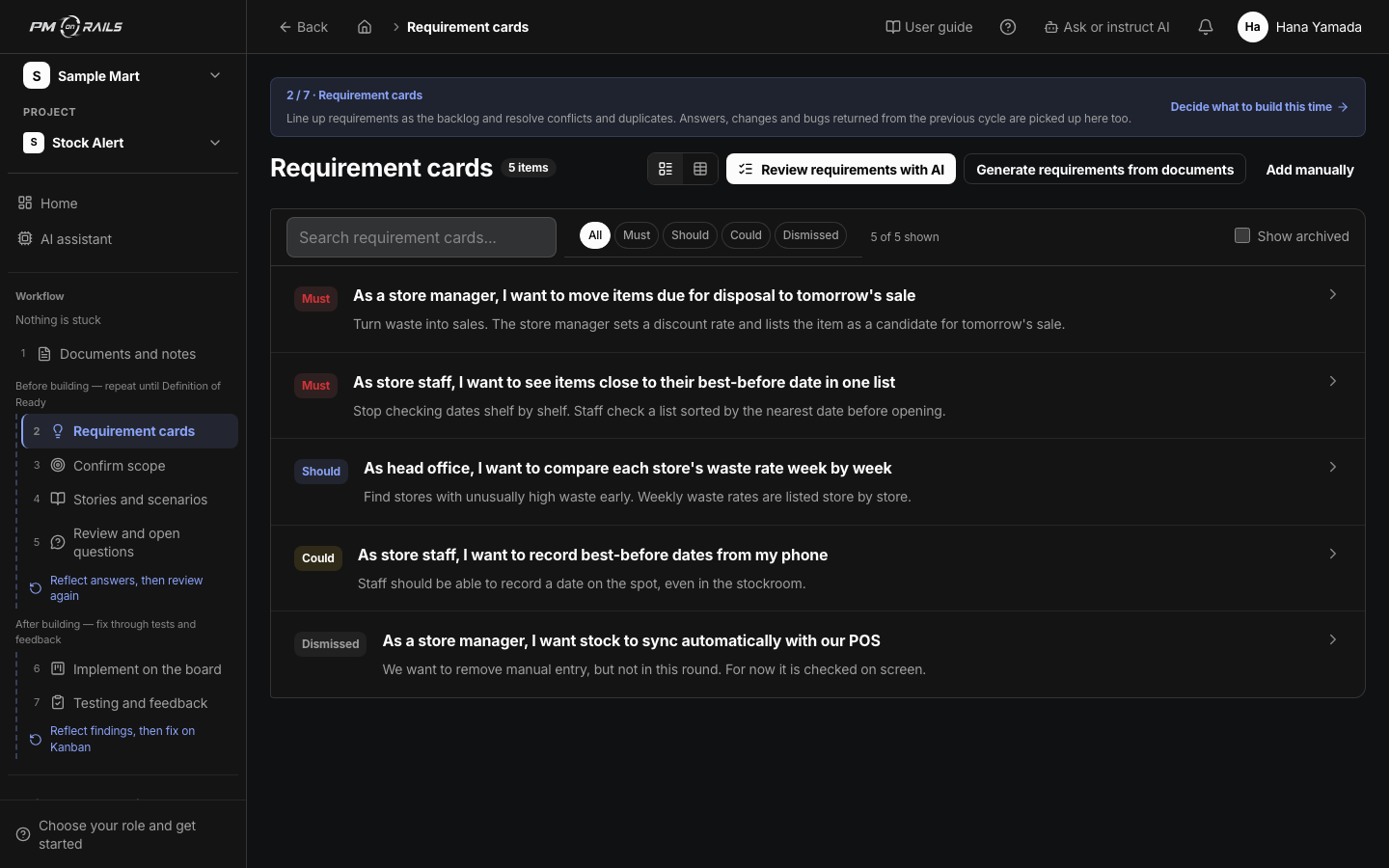
What you said is kept as a request
From meeting recordings and notes, the tool records what was asked, what was decided and what is still open, each in its own place. No more arguments about who said what.
You: Just talk
About requirement cards - 02
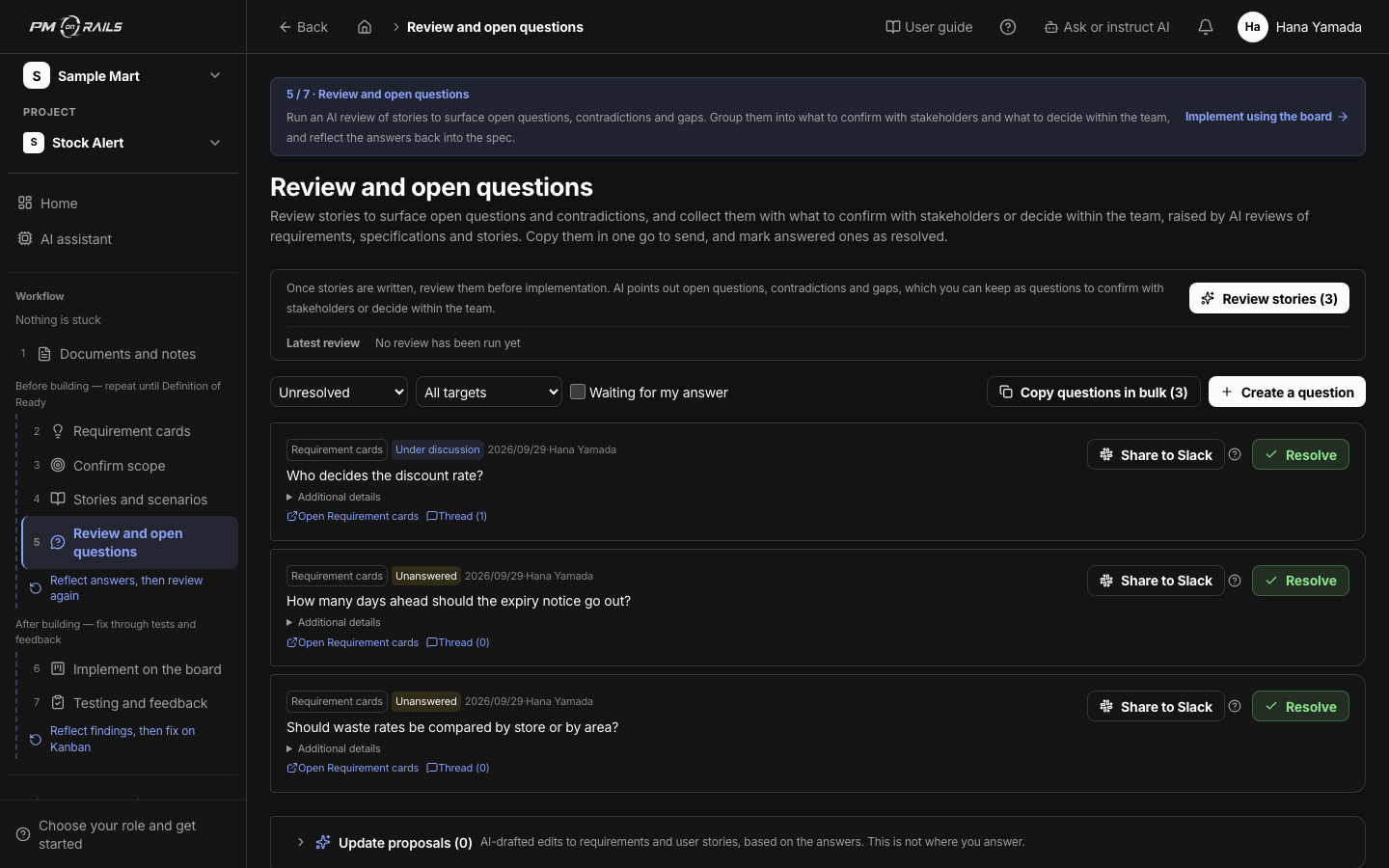
Decisions surface before the work starts
Before development begins, you receive the questions that need your answer. Answer, and the spec is updated accordingly.
You: Answer the questions
About open questions - 03
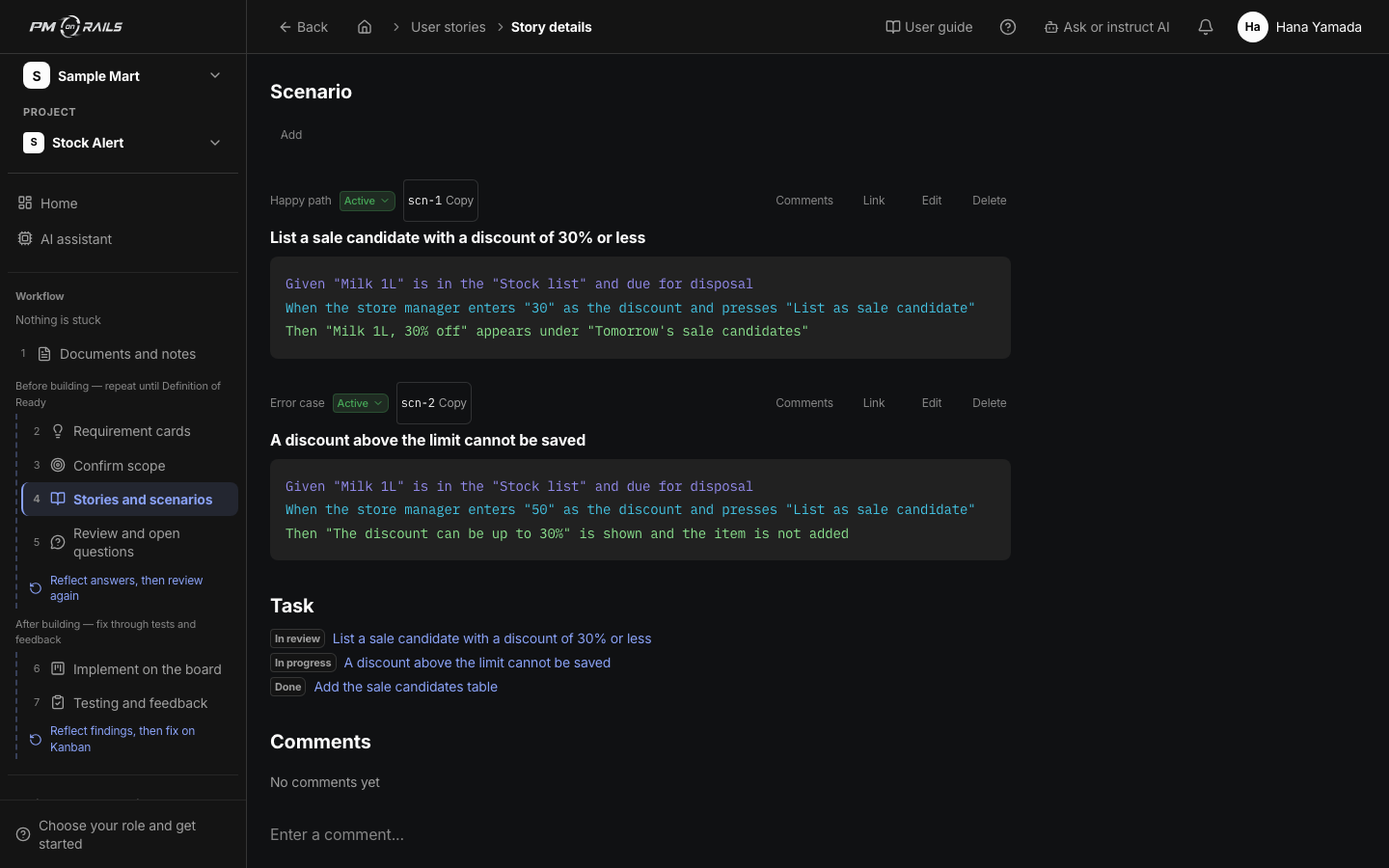
Check against scenarios in plain language
Acceptance criteria are written as Given, When, Then. Test passes and failures are visible per scenario, so you can judge whether to accept.
You: Read and verify
About stories and scenarios
The loop
From request to passing test, the same loop every time.
You are involved in the two highlighted steps. You can see the steps in between, but they need nothing from you.
- 01RequestNotes and asks
- 02ScenarioAcceptance criteria
- 03BuildClaude Code / Codex
- 04TestCI results recorded
- 05FeedbackQuestions and decisions
- Where you are involved
- Where AI and the tool take over
From early users
What surprised the people who tried it.
It became our line to the engineers. I realized there were things I could do on my side too.
What I will be asked and what I need to answer are sorted out in advance, so I am no longer the one holding things up.
Summarized from interviews with early users.
A PM you can ask at any time
You do not need PM training to say what you want.
Ask your development agency to adopt it, or start on your own. Either way, talk to us.